
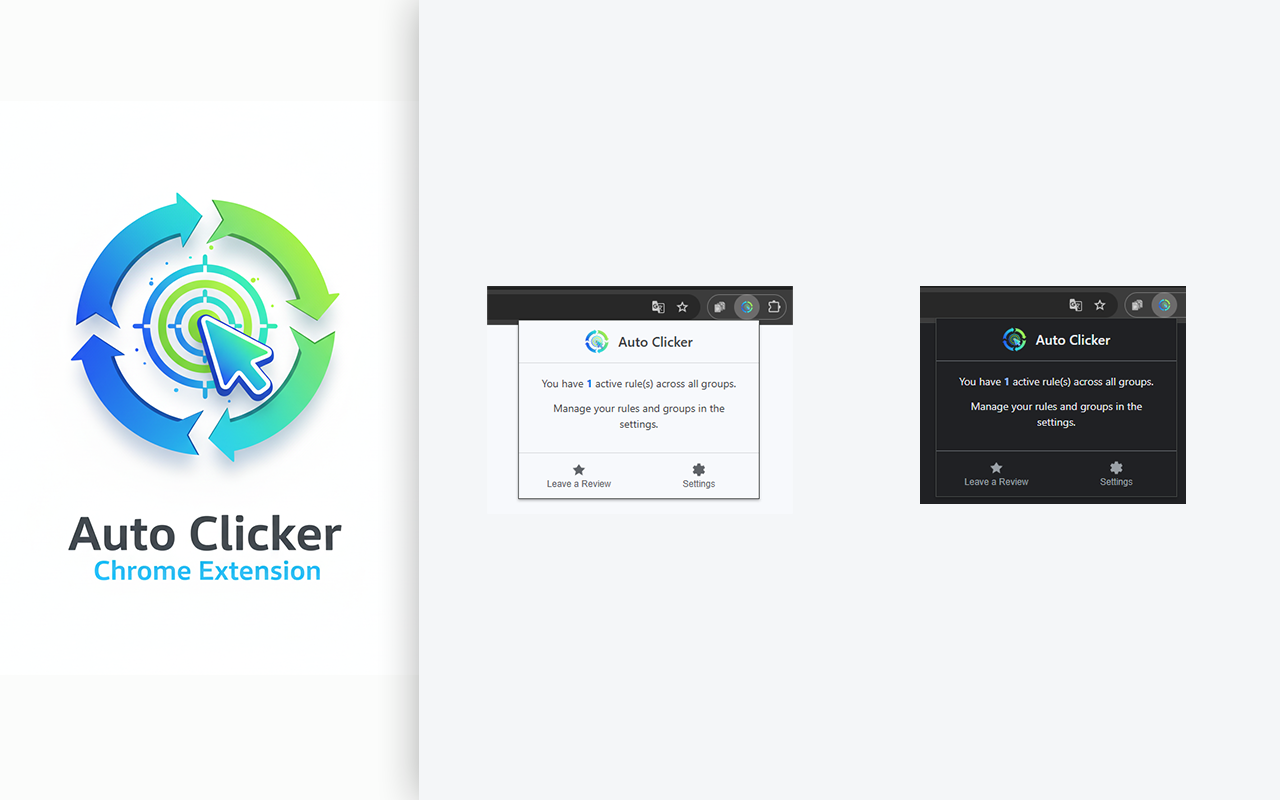
Auto Clicker Free Chrome Extension
插件介绍
用于自动化网页任务的免费自动点击器和表单填写扩展程序。
功能强大的自动点击器和表单填充器,适用于网页任务和 Travian 等游戏。安排点击、填写表单,并自动化您的策略。只需右键即可轻松设置。
厌倦了重复的网页任务?想在离开时管理 Travian 等游戏中的帝国?试试这款免费的 Chrome 扩展程序“自动点击器”,它是您专属的网页自动化利器,旨在节省您的时间,大幅提升您的工作效率。
这不仅仅是一个自动点击器;它是一款智能灵活的工具,可让您在任何网站上安排任意操作序列。从在特定时间自动点击按钮到填写复杂的表单和刷新页面,我们的扩展程序会处理繁琐的工作,让您专注于真正重要的事情。
---
为什么选择我们?化繁为简
与其他自动化工具不同,我们的产品面向所有用户。我们革命性的右键菜单让创建任务变得无比简单。只需右键点击任何元素——按钮、链接或输入框——并告诉扩展程序何时执行操作即可。无需任何编码!
完整功能列表:
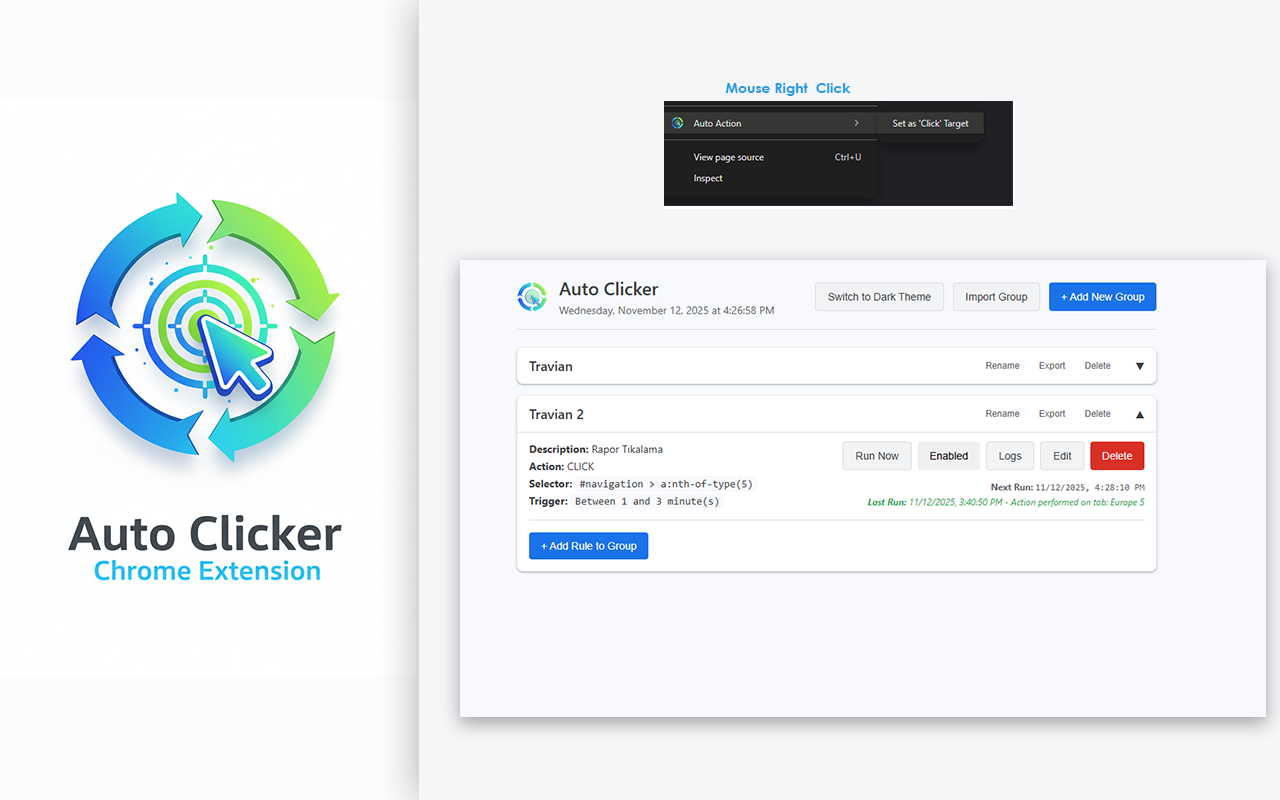
* 🤖 高级任务调度器:无需点击,实现自动化!您可以设置任务在一天中的特定时间(HH:MM:SS)或固定时间间隔(例如,每 5 分钟)运行。非常适合自动刷新页面或检查资源。
* 🖱️ 多操作支持:超越简单的点击。创建可以执行点击、填写表单或刷新页面的规则。
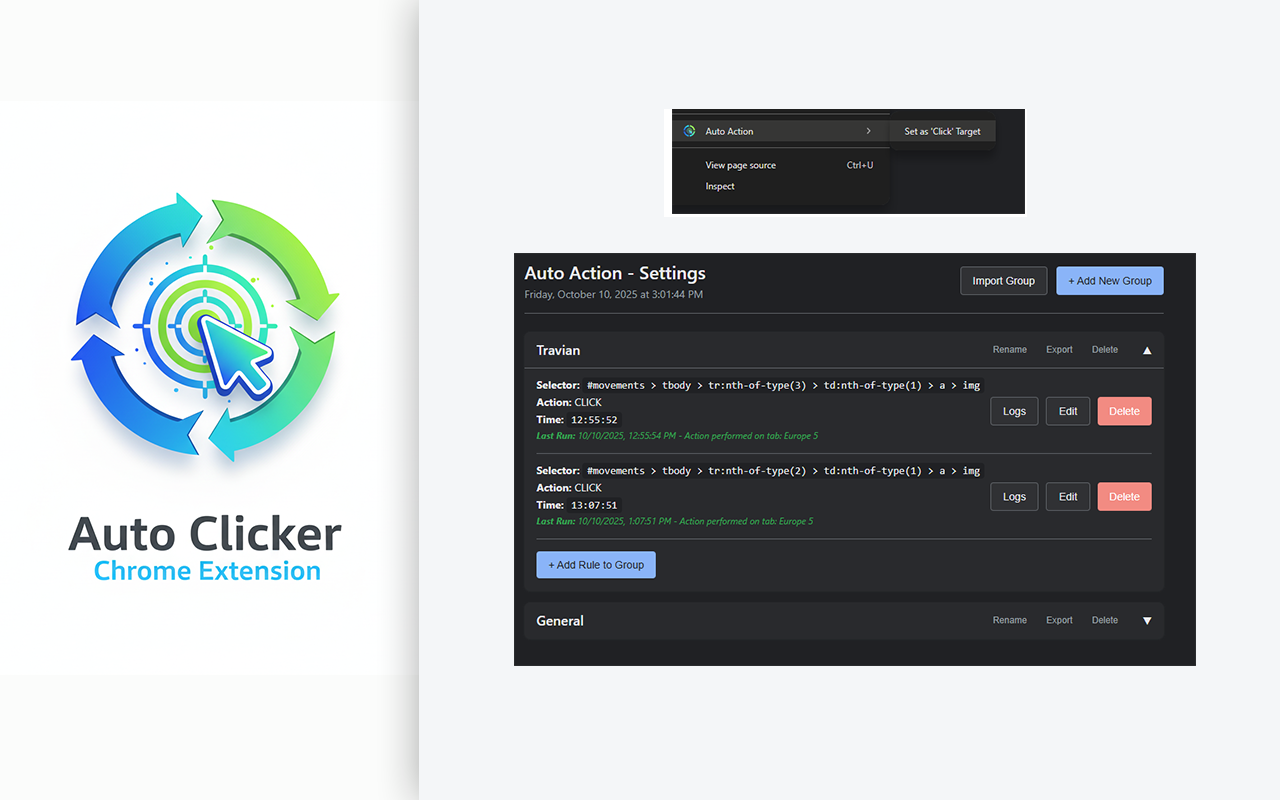
* ✨ 简单的右键设置:创建自动化规则的最简单方法。右键单击页面上的任何元素,然后选择“设置为点击目标”或“设置为填写目标”即可立即捕获该元素。
* 📂 使用分组进行整理:使用可折叠分组保持任务整洁。为不同的网站或工作流程创建分组(例如,“工作报告”、“游戏村庄”、“社交媒体”)。
* 🔄 智能标签页管理:目标页面已关闭?没问题。如果扩展程序找不到匹配的标签页,它会在运行任务前自动为您打开页面。
* 📤 按组导入导出:备份您宝贵的工作流程或与朋友分享。您可以将单个组导出和导入为 .json 文件,轻松迁移您的设置。
* 📊 详细日志:想知道规则是否已运行?内置日志查看器会显示每次执行的确切时间、状态(成功/错误)以及详细的错误消息,帮助您进行故障排除。
* 💪 完全管理:只需单击一下即可重命名组、删除规则和启用任何任务。一切尽在您的掌控之中。
完美适用于:
* ⚔️ 策略游戏玩家:Travian、OGame 等浏览器游戏的玩家,他们需要在离开电脑时安排资源收集、部队移动或建造队列。
* 💼 每天填写相同网页表单和报告的专业人士。
* 🕵️ 需要对 Web 应用程序运行重复测试用例的 QA 测试人员。
* 📈 希望减少手动输入和错误的数据录入专员。
* 任何想要节省时间并避免在 Web 上执行枯燥重复任务的人。
---
您的隐私是我们的首要任务。
您的所有规则和数据都存储在您的浏览器本地,绝不会传输到任何服务器。
立即安装免费的 Auto Clicker Chrome 扩展程序,让您的工作自动化!
## 历史记录 ##
-----------------------------------------
版本:1.0.1
- 新增随机间隔。重复操作将在随机分钟发生。
- 选择间隔或随机间隔时,会在添加第一个任务后立即添加新任务。
- 为规则添加了标签。规则跟踪更加便捷。
- 新增深色和浅色主题选项。这些选项可在“选项”页面中找到。
- 修复了一些设计问题。
Powerful auto clicker & form filler for web tasks & games like Travian. Schedule clicks, fill forms, and automate your strategy. Easy right-click setup.
Tired of repetitive web tasks? Need to manage your empire in games like *Travian* while you're away? Meet the Auto Clicker Free Chrome Extension, your personal web automation powerhouse designed to save you time and supercharge your productivity.
This is more than just an auto clicker; it's a smart, flexible tool that lets you schedule any sequence of actions on any website. From automatically clicking buttons at a specific time to filling out complex forms and refreshing pages, our extension handles the boring stuff so you can focus on what matters.
---
Why Choose Us? The Power of Simplicity
Unlike other automation tools, we are built for everyone. Our revolutionary right-click menu makes creating tasks incredibly simple. Just right-click on any element—a button, a link, or an input field—and tell the extension when to act. No coding required!
Full Feature List:
* 🤖 Advanced Task Scheduler: Don't just click, automate! Schedule tasks to run at a specific time of day (HH:MM:SS) or at regular intervals (e.g., every 5 minutes). Perfect for automatically refreshing a page or checking resources.
* 🖱️ Multi-Action Support: Go beyond simple clicks. Create rules that can Click, Fill forms, or Refresh the page.
* ✨ Simple Right-Click Setup: The easiest way to create automation rules. Right-click any element on a page and select "Set as 'Click' Target" or "Set as 'Fill' Target" to instantly capture it.
* 📂 Organize with Groups: Keep your tasks tidy with collapsible groups. Create groups for different websites or workflows (e.g., "Work Reports," "Game Villages," "Social Media").
* 🔄 Smart Tab Management: Is the target page closed? No problem. If the extension can't find a matching tab, it will automatically open the page for you before running the task.
* 📤 Import & Export per Group: Back up your precious workflows or share them with friends. You can export and import individual groups as .json files, making it easy to transfer your setups.
* 📊 Detailed Logging: Wondering if a rule ran? The built-in log viewer shows you the exact time of every execution, its status (success/error), and detailed error messages to help you troubleshoot.
* 💪 Full Management: Rename groups, delete rules, and enable/disable any task with a single click. You are in full control.
Perfect For:
* ⚔️ Strategy Gamers: Players of browser games like Travian, OGame, and similar titles who need to schedule resource collection, troop movements, or construction queues while away from the computer.
* 💼 Professionals who fill out the same web forms and reports daily.
* 🕵️ QA Testers who need to run repetitive test cases on web applications.
* 📈 Data Entry specialists who want to reduce manual input and errors.
* Anyone who wants to save time and avoid boring, repetitive tasks on the web.
---
Your Privacy is Our Priority.
All your rules and data are stored locally on your browser and are never transmitted to any server.
Install the Auto Clicker Free Chrome Extension today and automate your world!
## History ##
-----------------------------------------
Version:1.0.1
- Random intervals have been added. Repeats will occur at random minutes.
- When interval or random interval is selected, a new task will be added immediately after the first task is added.
- Labels have been added to rules. Rule tracking has been made easier.
- Dark and light theme options have been added. These are available on the Options page.
- Design fixes have been made.
Auto Clicker Free Chrome Extension