

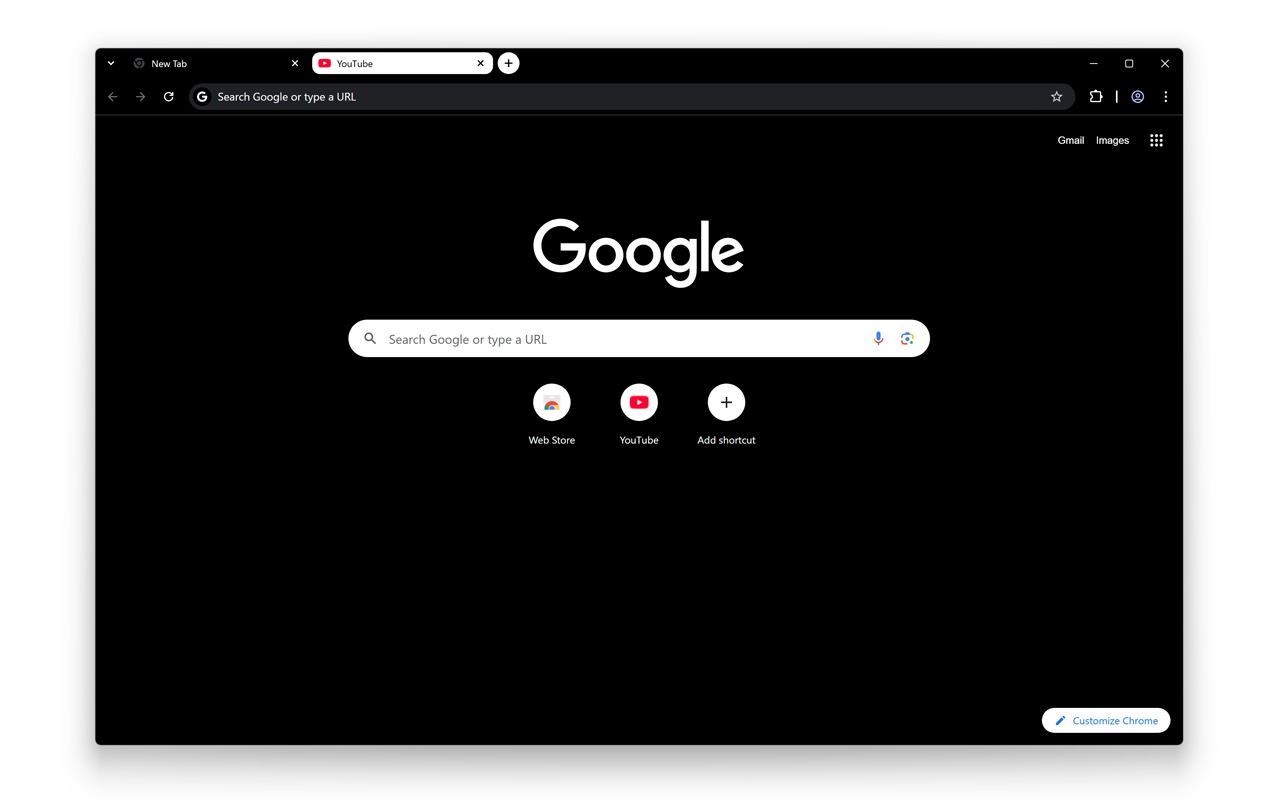

适用于 Google Chrome 的最佳黑白主题,简单、干净、深色美观且不会伤害您的眼睛。
它采用黑白两种纯色的抽象设计。黑色代表当前打开的标签页,白色则作为非活动标签页的导航栏。
Chrome 主题整体协调,如同白纸上的黑色文字。优雅的黑白对比简洁易读。
设计特点
• 黑色代表当前打开的标签页
• 白色代表在背景中关闭的标签页
了解更多信息,请访问:
https://www.turnoffthelights.com/browser/
如果您想支持我们的工作,请考虑捐款:
https://www.turnoffthelights.com/donate/
立即在您的 Google Chrome 浏览器中获取黑白主题!
别忘了点赞并关注我们:
Facebook
https://www.facebook.com/turnoffthelight
X
https://x.com/TurnOfftheLight
Pinterest
https://www.pinterest.com/turnoffthelight
Instagram
https://www.instagram.com/turnoffthelights
YouTube
https://www.youtube.com/@turnoffthelights
如何在 Chrome 浏览器中移除/卸载 Chrome 主题:
1. 在电脑上打开 Chrome。
2. 在右上角,点击三点菜单,然后点击“设置”。
3. 在“外观”下,点击“重置为默认设置”,即可恢复经典的 Google Chrome 主题。
<<< 可选功能 >>>
安装适用于 YouTube 及其他平台的“Turn Off the Lights”浏览器扩展程序,即可解锁一项可选功能,在夜间保护您的眼睛,让您专注于视频播放器(例如 YouTube™)。
https://chromewebstore.google.com/detail/turn-off-the-lights/bfbmjmiodbnnpllbbbfblcplfjjepjdn